Plugins

Edit Order

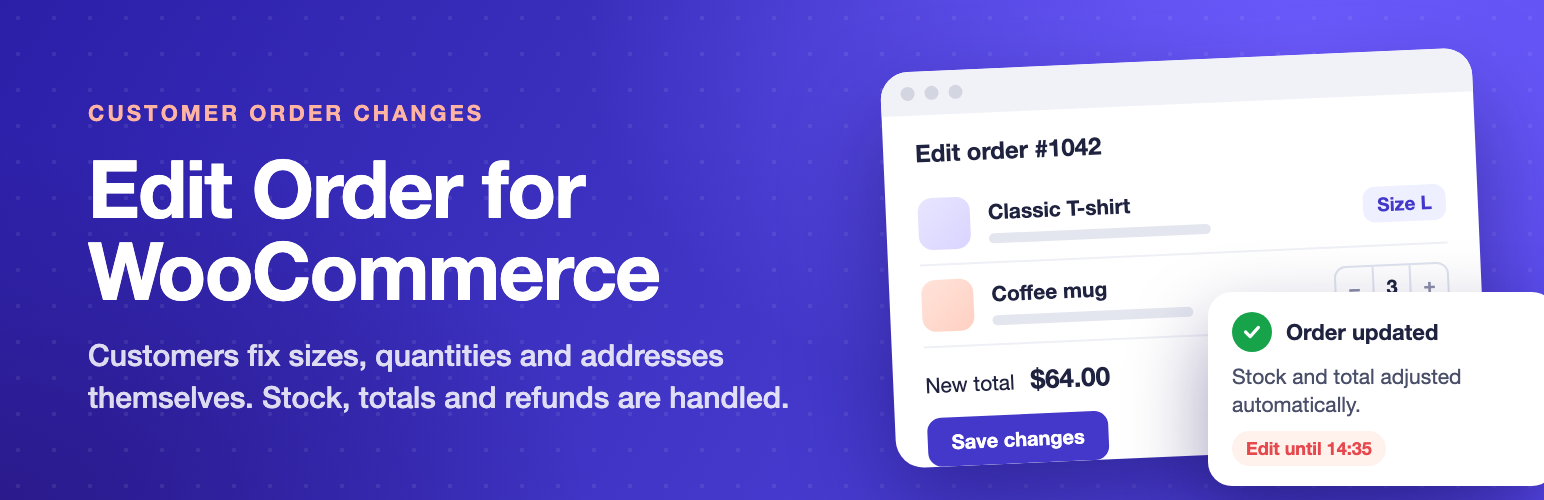
Let customers edit or cancel their own WooCommerce orders: products, addresses, delivery and payment, with refunds handled for you.

  • Version 1.0.0
  • WordPress 6.0+
  • WooCommerce 7.0+
  • PHP 7.4+
  • HPOS compatible

See it in action

Customers make mistakes. They pick the wrong size, forget a product, or type the wrong street. Instead of an email thread and a manual edit in the admin, Edit Order for WooCommerce lets them fix it themselves from My Account, inside rules you control.

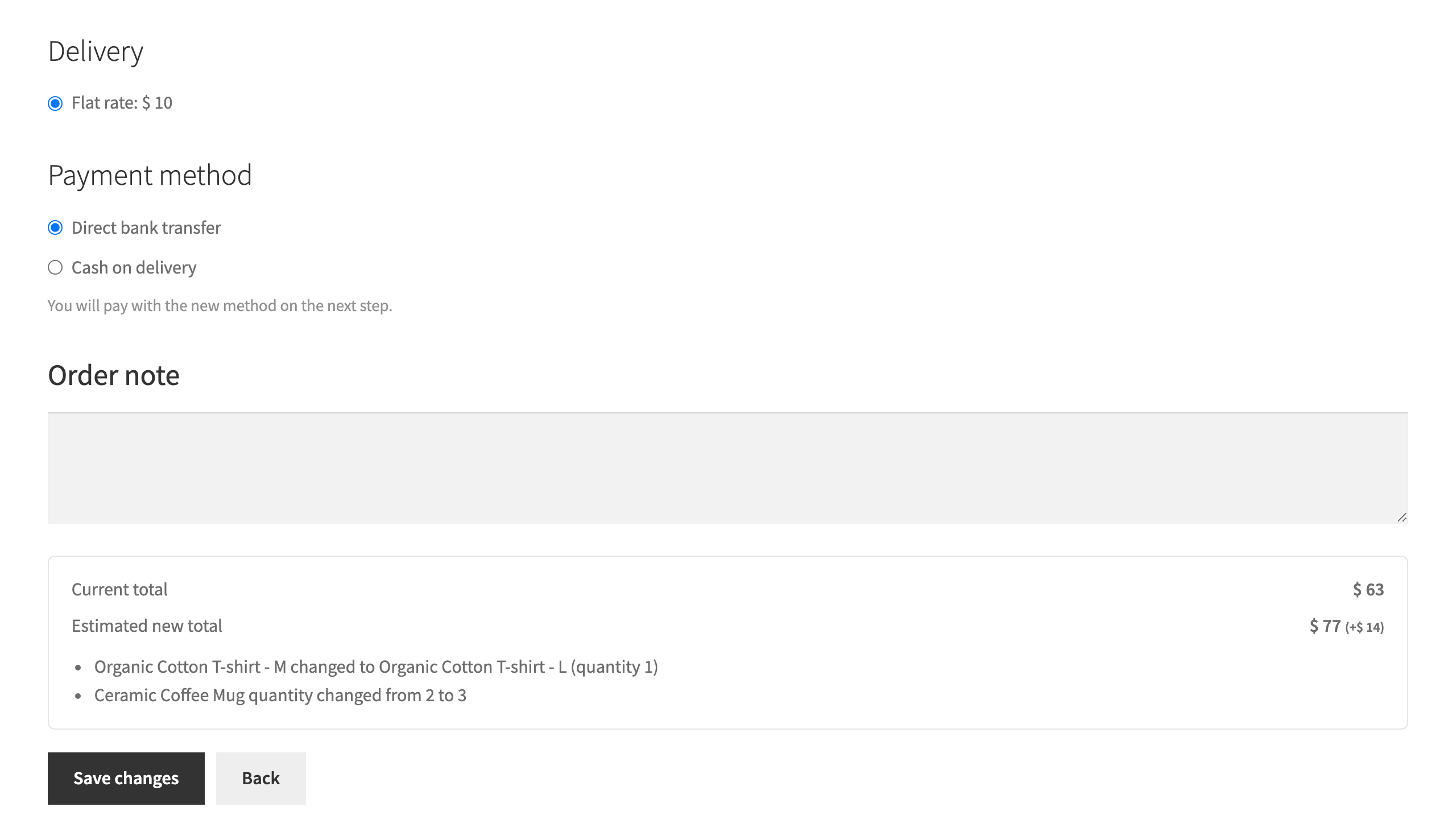
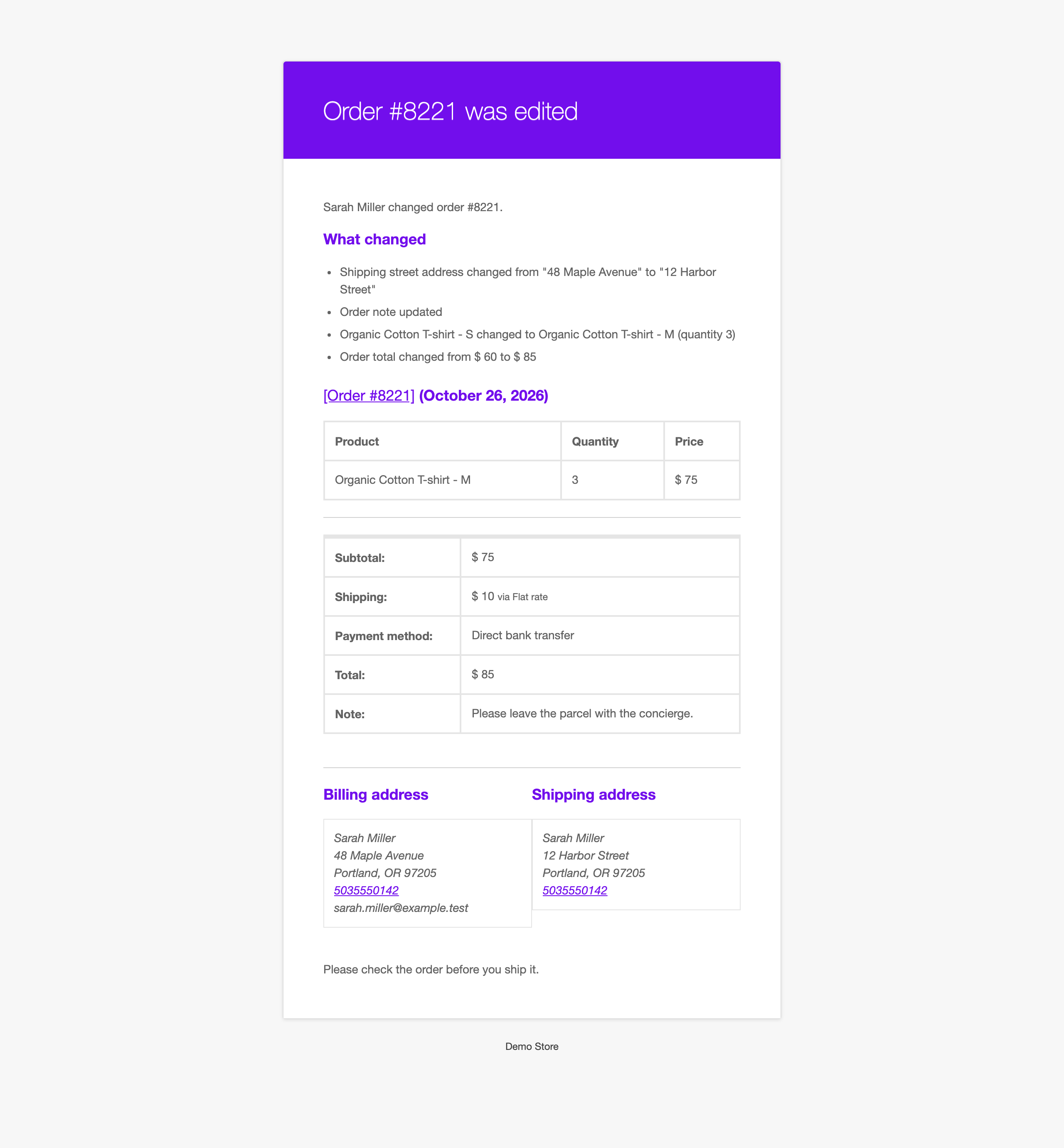
Every change is checked again on the server when it is saved, stock moves by the difference only, totals and taxes are recalculated by WooCommerce, and you get an email that lists exactly what changed.

Free and Pro

Free In the free plugin

What customers can change

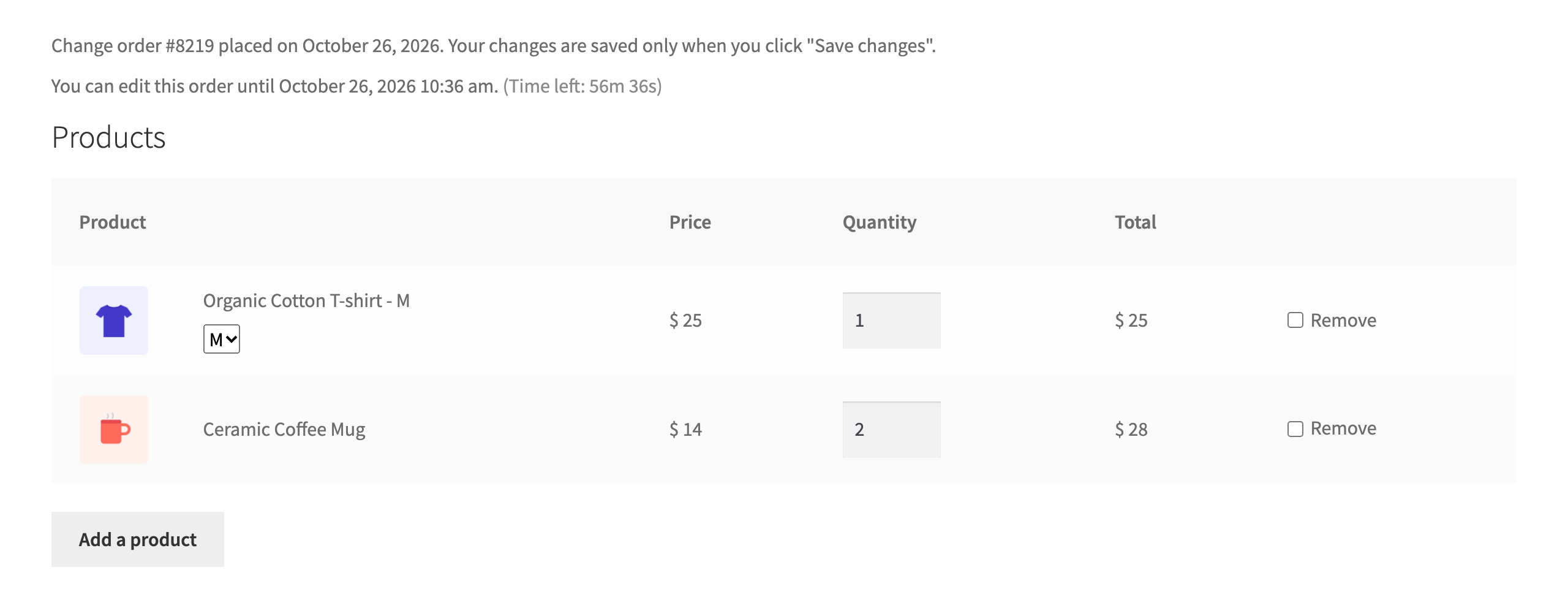
  • Quantities of the products in the order.
  • Remove products they no longer want.
  • Add products from a search box, with stock checked before anything is added.
  • Product options such as size or colour, switched to another in-stock option of the same product.
  • Billing and shipping address, field by field. Lock country, state and postcode to keep shipping costs and taxes the same.
  • Delivery option, with real costs from your shipping zones, the same as at checkout.
  • Payment method of an unpaid order.
  • Order note, with a length limit.
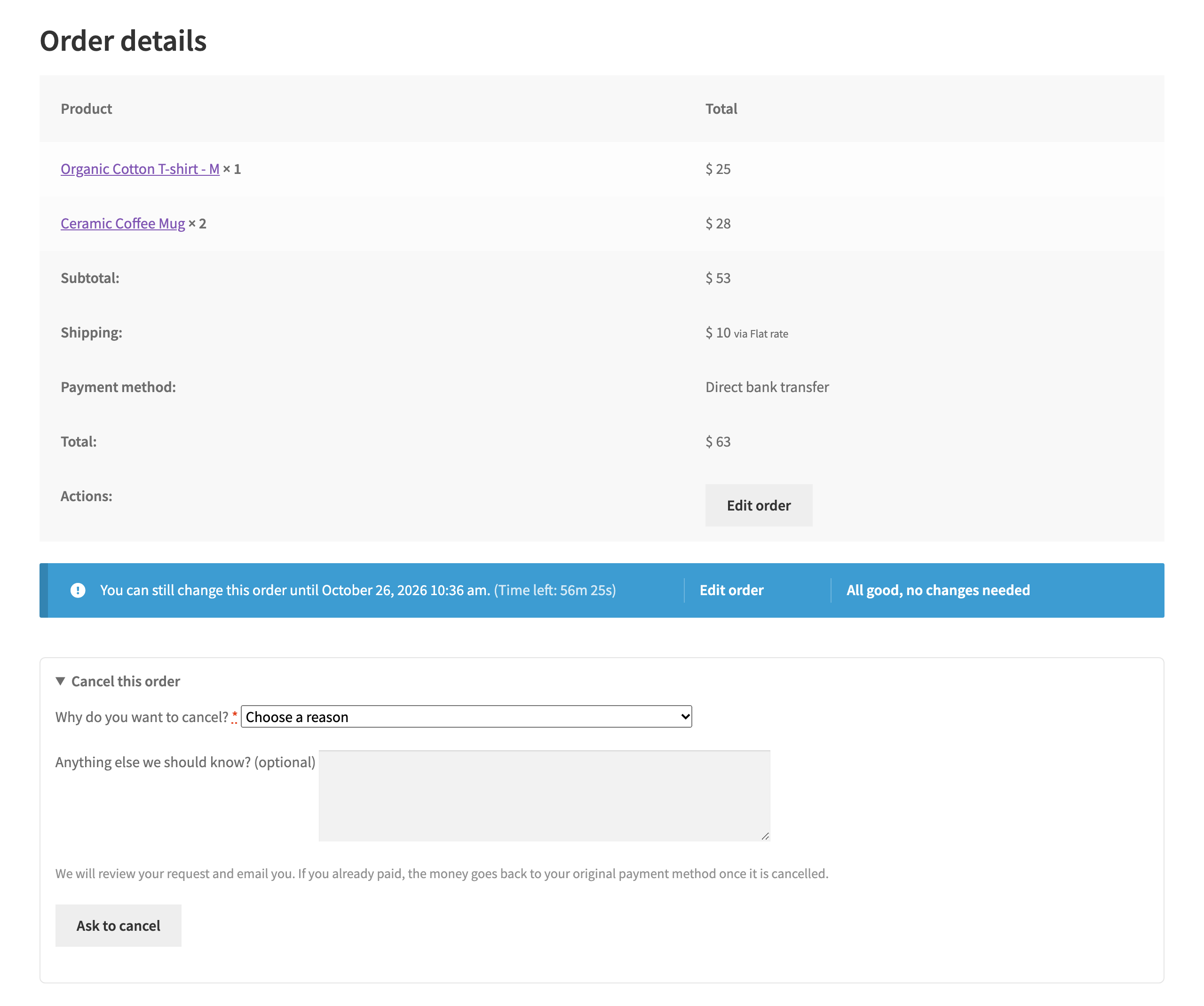
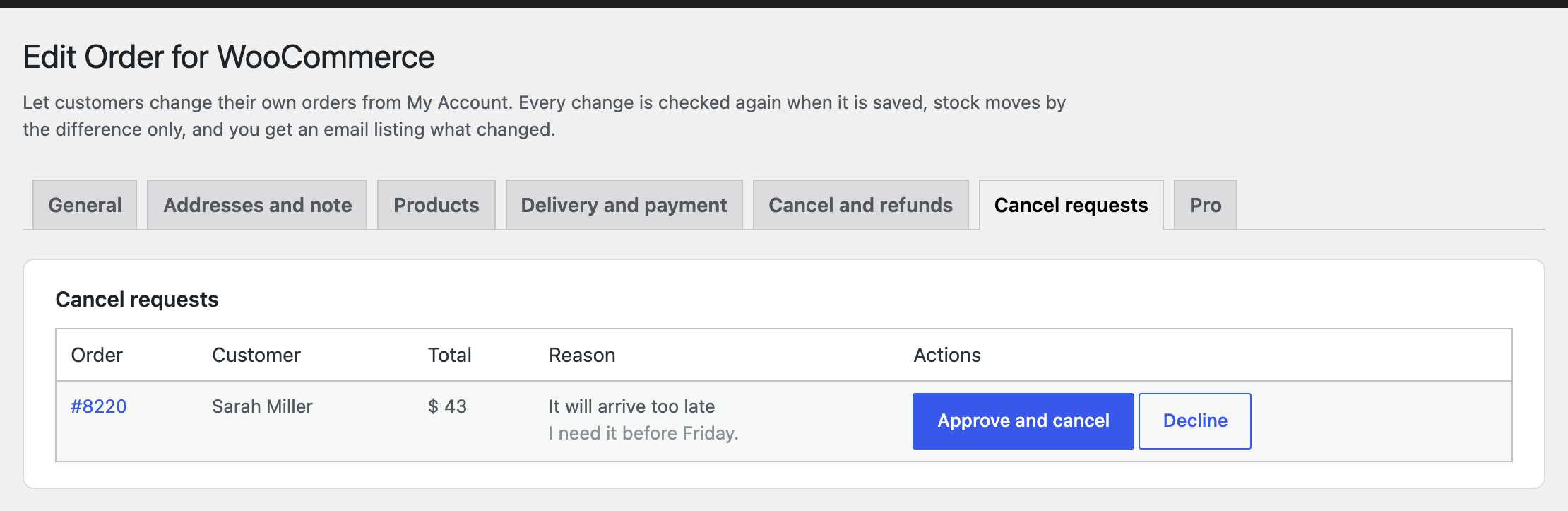
  • Cancel the order, with a reason. You approve or decline, or let orders cancel instantly with an automatic refund.

Paid orders, done right

  • Lower total: the difference goes back through the payment method automatically. If the payment method cannot refund online, you get an email to refund it by hand.
  • Higher total: the customer pays the difference first in a separate payment. The change is applied only once it is paid, and the original order shows a “Paid separately” line so both orders add up to what the customer paid.
  • Pay on delivery (for example Cash on delivery): the amount to collect simply changes.

Rules you control

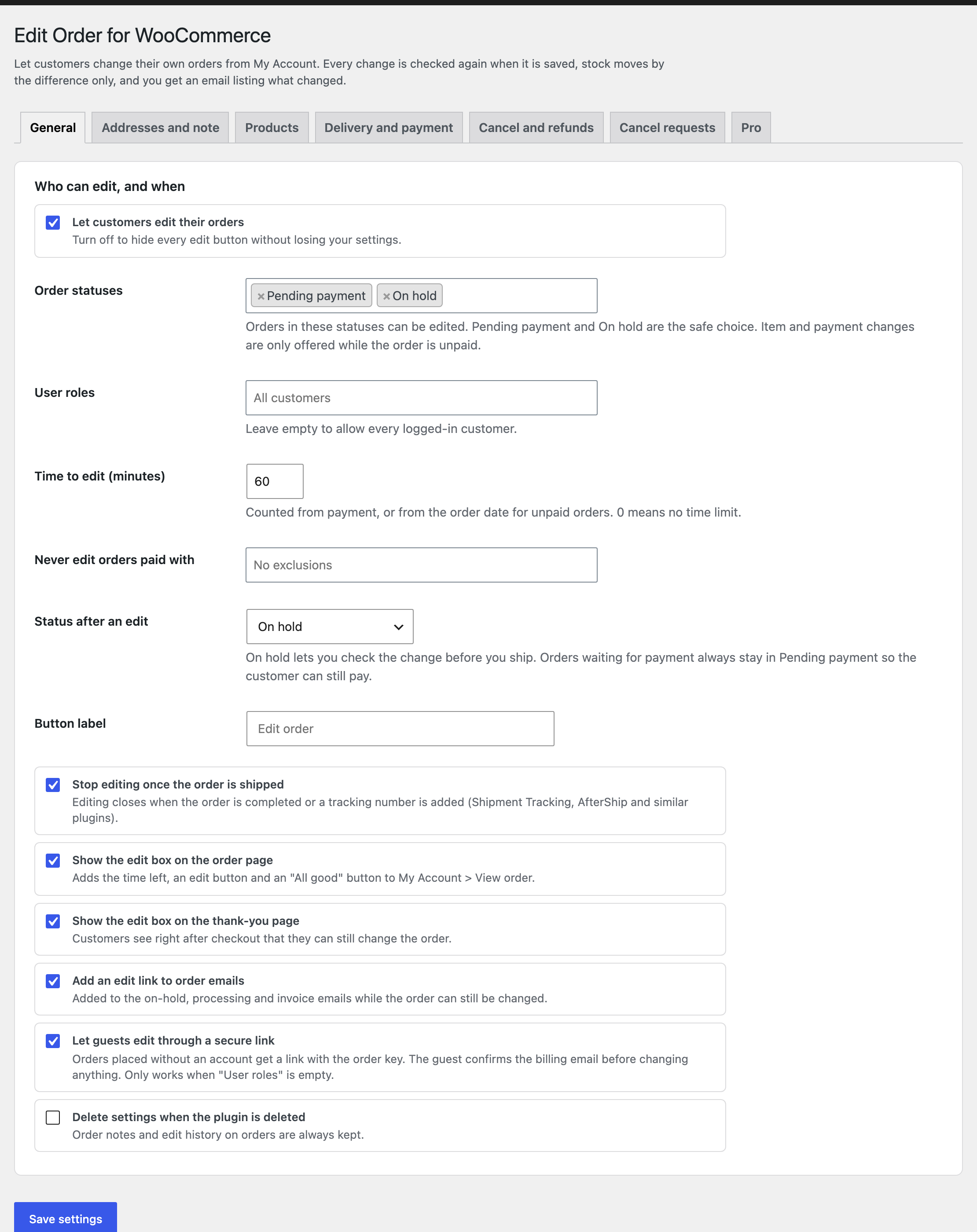
  • Order statuses that can be edited, overall and per section.
  • User roles that can edit.
  • A time window after payment, with a live countdown on the order page.
  • An “All good, no changes needed” button that closes editing early.
  • Editing stops automatically once the order is completed or a tracking number is added.
  • Exclude orders paid with certain payment methods.
  • Limit product changes to selected products or categories, and set a maximum quantity.
  • Choose the order status after an edit (for example On hold, so you can check before shipping).
  • Edit box on the thank-you page and an edit link in the order emails while the order can still be changed.

Safe by design

  • Only the order owner can open the edit page. Every request is protected with a nonce and checked against your rules again on save.
  • Products and quantities can only change while an order is unpaid. Paid orders can update details that do not change the total.
  • Existing products keep the price the customer paid. Coupons are recalculated by WooCommerce.
  • Stock only moves by the difference, and the order keeps WooCommerce’s stock records correct for later refunds.
  • If the order was changed by your team while the customer was editing, the customer is asked to review it again.
  • Bundles, composites and subscription orders are shown read-only.

For store owners

  • Seven WooCommerce emails: order edited (to you), order updated (to the customer), cancellation requested, order cancelled, cancellation declined, price difference to pay, and manual refund needed.
  • All are normal WooCommerce emails: turn them on or off, change the recipients, subject and text, and override the templates in your theme.
  • Approve or decline cancel requests from the order screen or from the “Cancel requests” list.
  • Every edit is written to the order notes, and a “Customer edits” box on the order screen shows the history.
  • A “Customer edit” column in the orders list.
  • Works with High-Performance Order Storage (HPOS) and the Cart and Checkout blocks.

Edit Order for WooCommerce Pro

  • Customers add, remove or change quantities in paid orders, with the difference refunded or collected.
  • Approve edits before they are applied.
  • Rules for specific customers, a time window per role and a daily cut-off time.
  • Store credit refunds and partial cancellation.
  • Coupons and custom checkout fields.
  • Edit fees, a minimum order total and reports.

Pro Everything in free, plus

Paid orders

  • Customers add products, remove products and change quantities in orders they already paid.
  • A lower total is refunded through the payment method or as store credit. A higher total is paid by the customer first, and the change is applied once it is paid.

Approval

  • Edits wait for you to approve or decline them: every edit, only edits to paid orders, or only edits that change the total.
  • Approve or decline from the order screen or from the Approvals tab. The customer gets an email either way.

Customer rules

  • Allow only specific customers, or block customers and roles.
  • A different time to edit for each role.
  • A daily cut-off time: orders placed before it cannot be changed after it.
  • A maximum number of edits per order.
  • Block editing for orders that contain certain products or categories.
  • Lock products and categories so they cannot be changed or added, or tick “Customers cannot change this product in orders” on a product.
  • A reminder on the order screen not to ship while the customer can still edit.

Money

  • Refund as store credit: the customer gets a single use coupon for the amount, valid for the days you choose.
  • A fee per edit, fixed or a percentage of the order.
  • A cancellation fee kept from the refund.
  • A minimum order total after an edit.

Coupons and custom fields

  • Customers apply and remove coupons on unpaid orders, checked with your normal coupon rules.
  • Customers edit extra order fields saved by checkout field plugins. List them as “meta key: Label”.

Reports and tools

  • Edits, orders edited, revenue added and removed, cancellations, refunds and store credit for the last 7, 30, 90 or 365 days.
  • Export and import all settings as text.

Pricing

Free

0

Core features, for any number of sites.

Download free

Pro, 1 site

$49per year

Use on 1 site. Updates and support for one year.

Buy Pro

Pro, Unlimited sites

$199per year

Use on unlimited sites. Updates and support for one year.

Buy Pro

Prices in USD. Pro renews yearly and can be cancelled from your account. Pro needs the free plugin installed.

Questions, answered

Which orders can customers edit?

Orders in the statuses you choose, while the time window is open, before the order is shipped. By default these are Pending payment and On hold orders, for 60 minutes after the order (or after payment).

Can customers change products after they paid?

They can switch a product's option (for example size) and change the address, delivery option and note. If the total changes, the difference is refunded or collected automatically. Adding, removing or changing quantities in paid orders is part of Pro.

How does cancellation work?

Customers pick a reason and send a request. You get an email and approve or decline it from the order screen. If you choose instant cancellation in the settings, the order is cancelled right away and anything paid is refunded through the payment method.

Can guests edit their orders?

Yes. Guest orders get a secure link in the order email and on the thank-you page. The guest enters the billing email once to confirm, then can edit or cancel that order only.

What happens to stock?

Only the difference moves. If a customer changes a quantity from 3 to 2, one item goes back to stock. If they add a product, its stock is reduced. Orders where WooCommerce has not reduced stock yet (for example unpaid Pending payment orders) are left for WooCommerce to handle at payment.

Does the customer keep the price they paid?

Yes. Products already in the order keep their original price. Products that are added or switched use today's price. Coupons in the order are recalculated by WooCommerce.

Do shipping costs update?

Yes. When products or the address change, delivery costs are recalculated from your shipping zones, including free shipping minimums. If the current delivery option is no longer available, the customer is asked to choose another one.

Will I know when an order was edited?

Yes. You get an email with every change, the change list is saved in the order notes, and the orders list shows a "Customer edit" column. You can also set the order to On hold after an edit so you can check it first.

Can I change the URL of the edit page?

The page lives at My Account > edit-order. Developers can change the slug with the `woocommerce_myaccount_wfeo_edit_order_endpoint` option.

Does it work with HPOS?

Yes. It uses WooCommerce's order functions only and declares compatibility with High-Performance Order Storage and the Cart and Checkout blocks.

Changelog

1.0.0

  • Initial release.

Got a bug costing you sales?

Send it over. A developer looks at it and confirms the price before starting.

Request a fix