
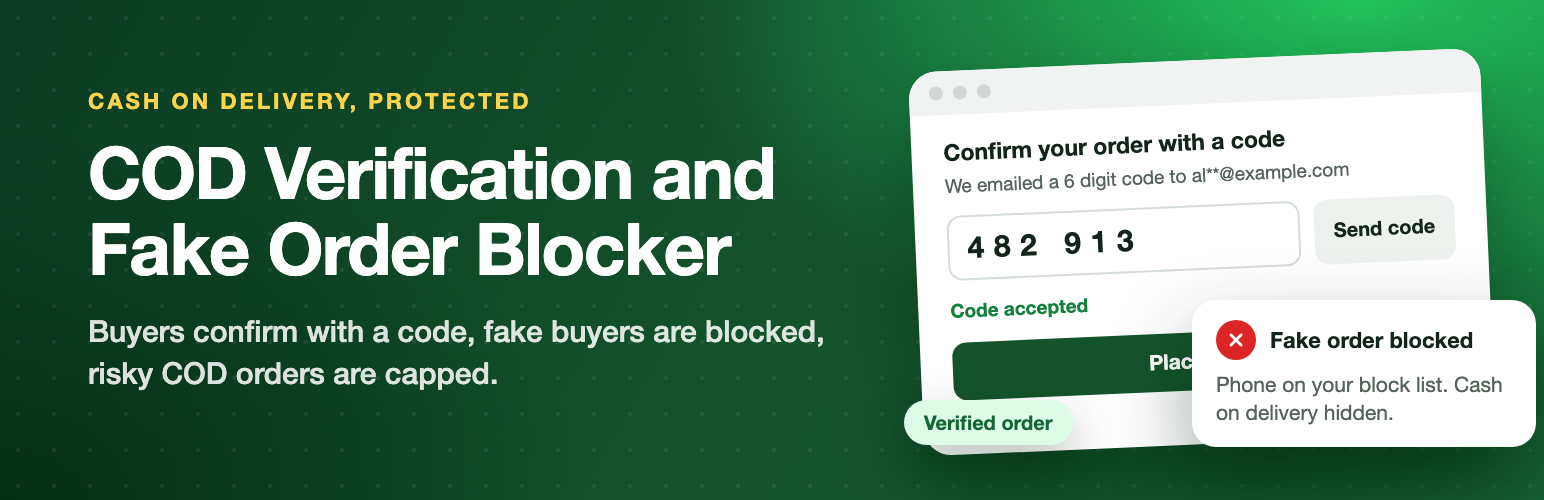
In many countries most orders are cash on delivery. Fake and prank orders cost you courier fees, packaging and returned parcels. COD Verification and Fake Order Blocker for WooCommerce stops them at checkout.
COD Verification and Fake Order Blocker
Stop fake cash on delivery orders before they ship: verify the buyer with a code, block repeat offenders and cap risky COD orders.
See it in action


Free and Pro
Free In the free plugin
Verify the buyer
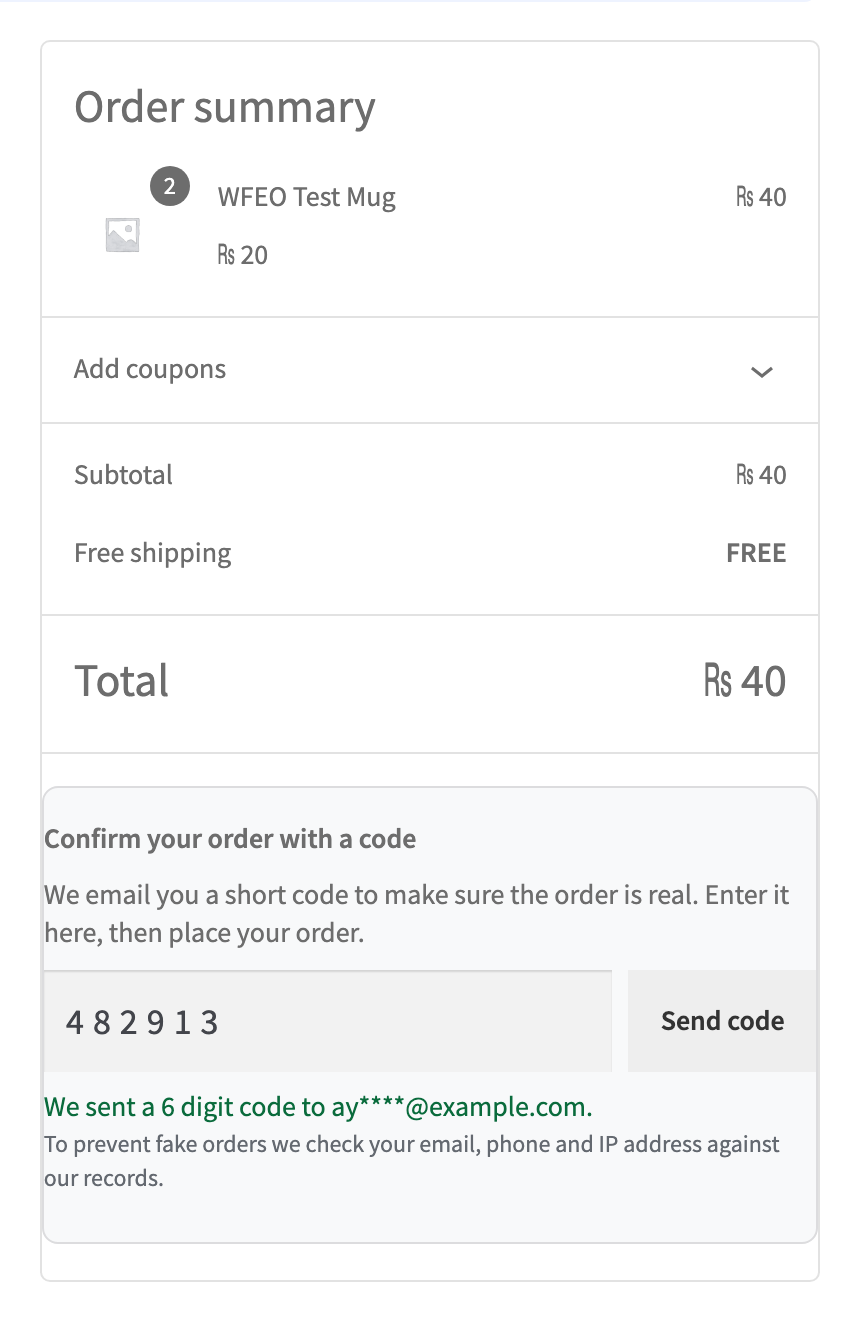
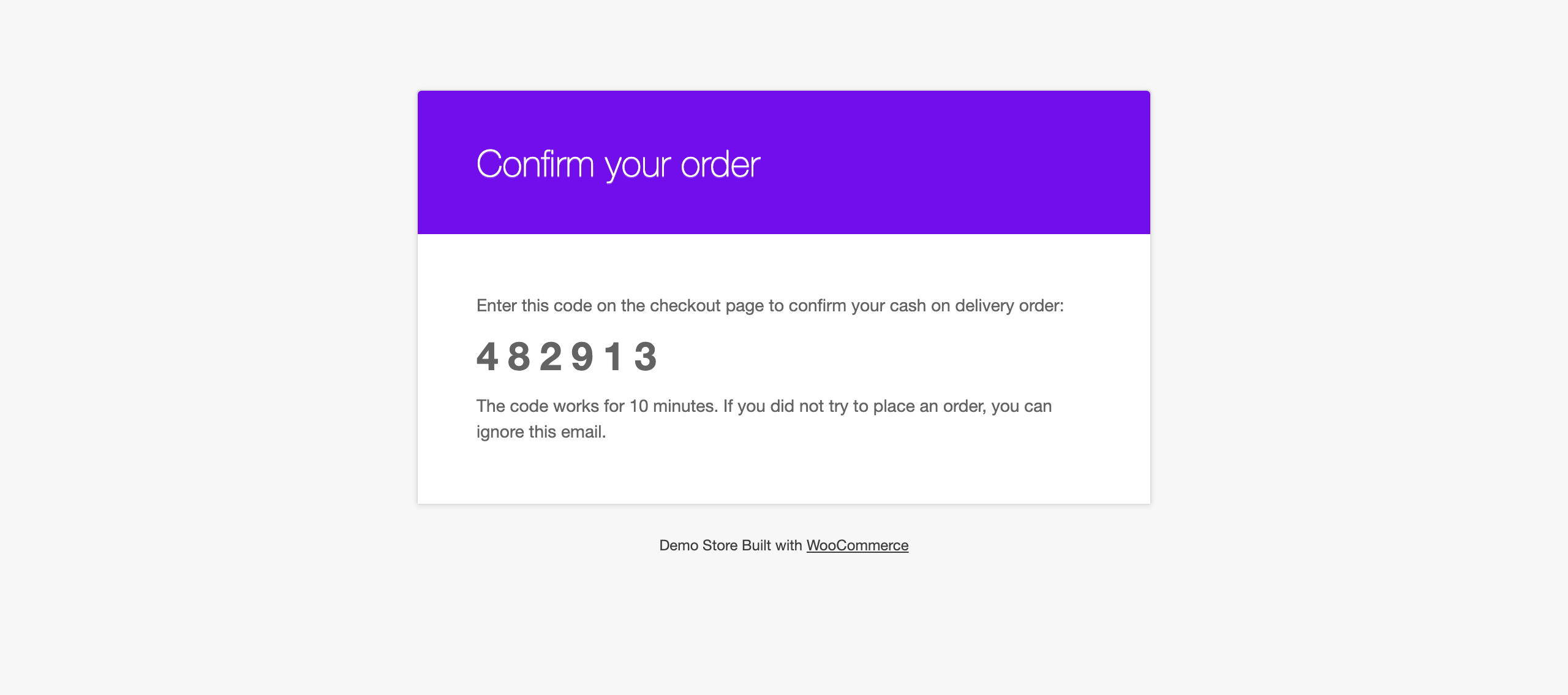
- When the buyer picks Cash on delivery, a short code is emailed to them and must be entered before the order is placed.
- The code box appears only for the payment methods you protect, right above Place order, with a Send code button.
- Works in the classic checkout and the Checkout block. The check runs on the server, so it cannot be skipped by changing the page.
- Returning buyers with a completed order, and buyers on your allow list, skip the code.
- Safe by default: codes expire, wrong tries are limited, resending has a wait time, and codes per email, phone and IP are capped per hour so the feature cannot be used to spam inboxes.
- Codes are stored hashed, never in plain text, and work only once.
Block fake buyers
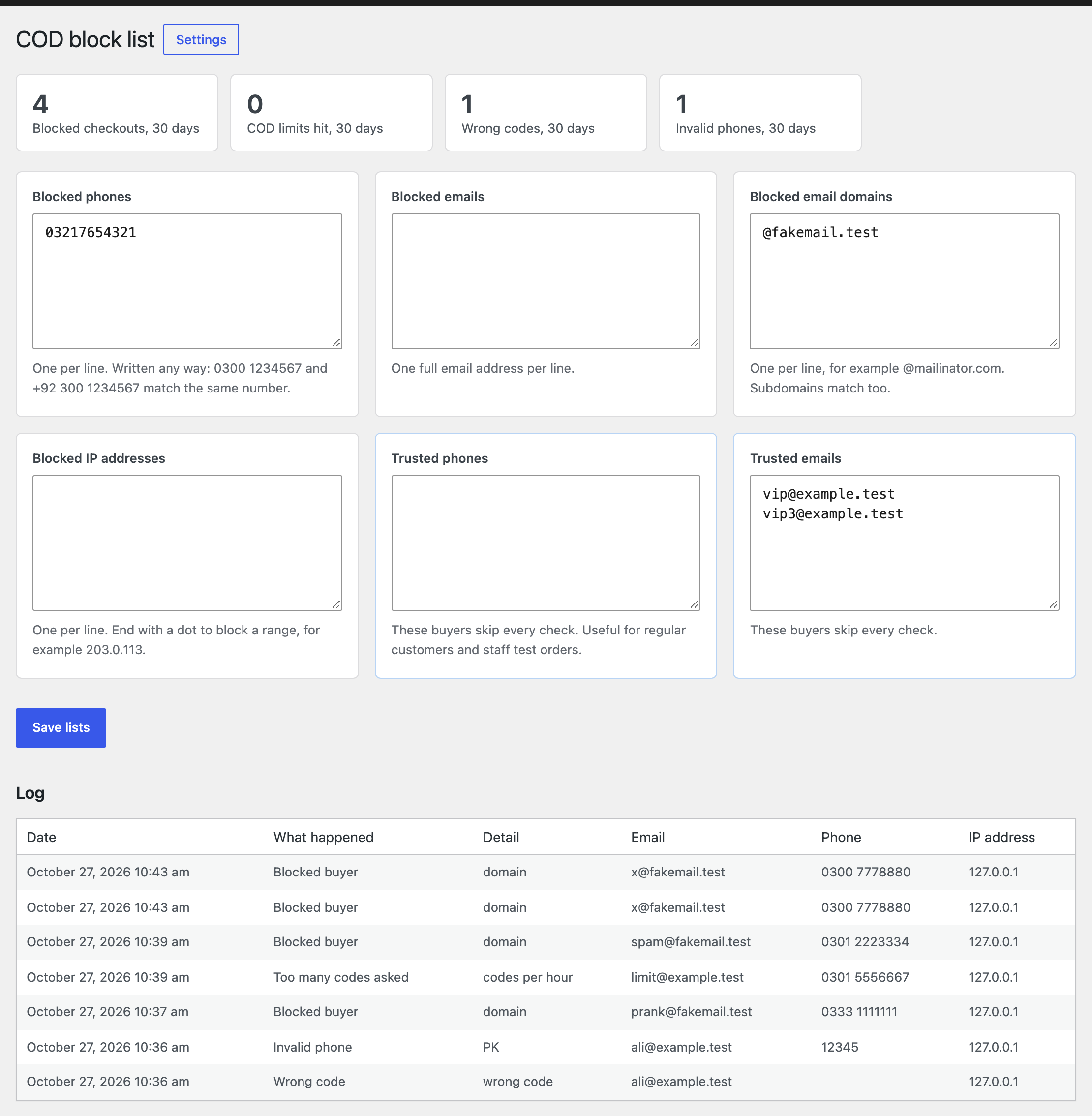
- Block list of phones, emails, whole email domains and IP addresses, including IP ranges.
- Phones match however they are written: 0300 1234567 and +92 300 1234567 are the same number.
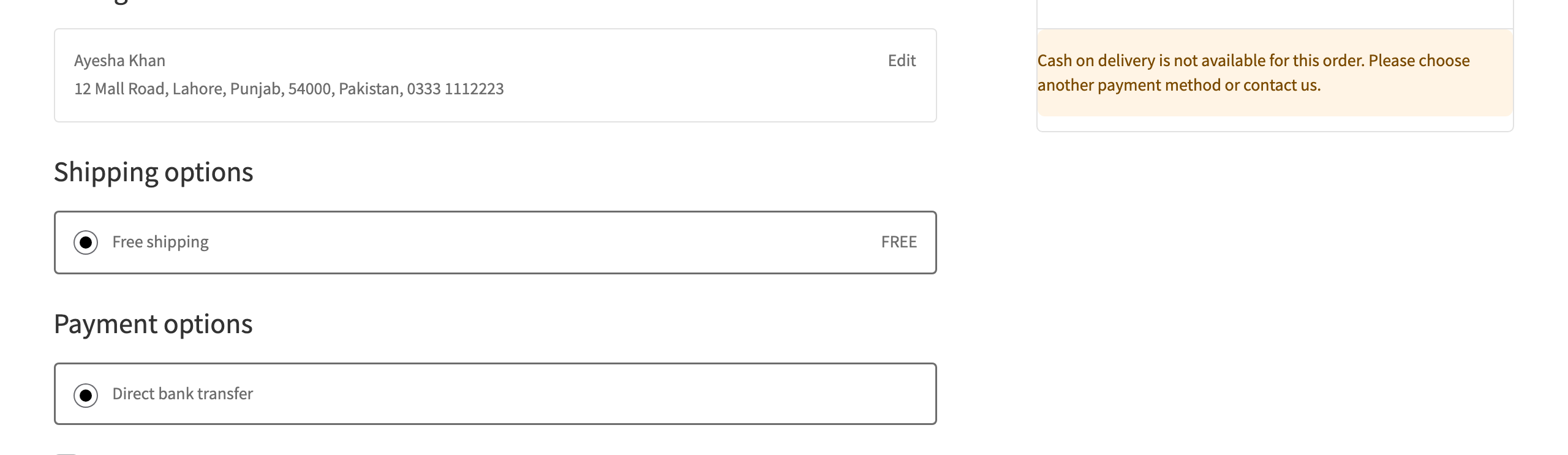
- Choose what happens: hide Cash on delivery so they can only pay online, or block the checkout completely.
- One click Block buyer button on the order screen adds the phone, email and IP to the block list.
- Allow list for trusted phones and emails, for regular customers and staff test orders.
COD limits
- Most COD orders one phone can place in 24 hours.
- Hide COD above or below an order total, with your own message.
- Phone format check per country (Pakistan, India, Bangladesh, UAE, Saudi Arabia, Qatar, Kuwait, Bahrain, Oman, Egypt, Morocco, Nigeria, Kenya and more).
See it working
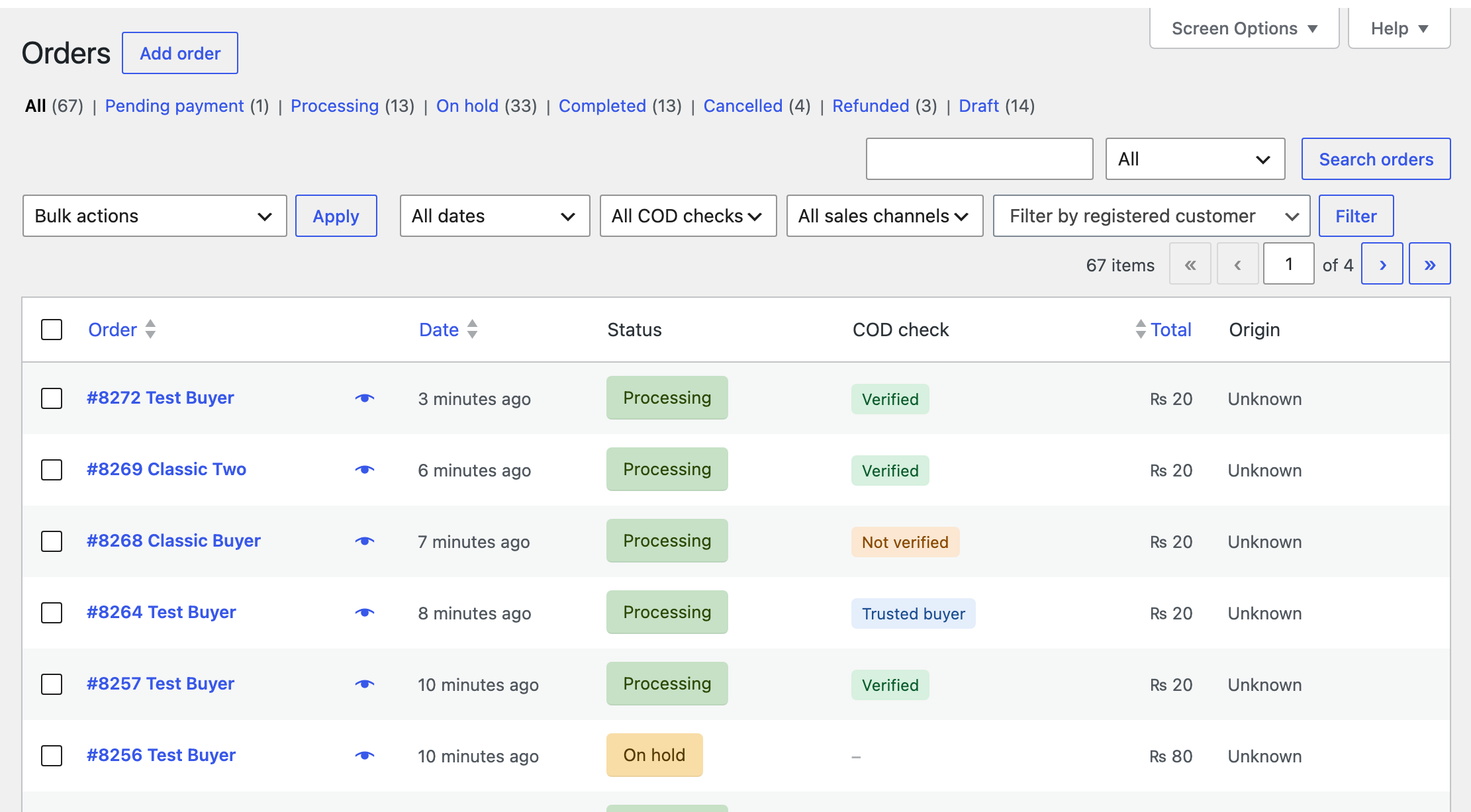
- Each protected order gets a Verified, Trusted buyer or Not verified badge on the orders list, with a filter.
- An order note records how the order was checked.
- A log of blocked checkouts, limits hit and wrong codes, kept for 30 days by default.
- Optional email to the store when a blocked buyer tries to check out.
Built the WooCommerce way
- Compatible with High Performance Order Storage (HPOS) and the Cart and Checkout blocks.
- The code email uses your store’s email template and can be edited under WooCommerce, Settings, Emails.
- Privacy tools: personal data export and erase, and suggested privacy policy text.
- No external calls, no tracking, no account needed.
Pro Everything in free, plus
Features
- SMS and WhatsApp codes. Send the verification code by WhatsApp or SMS, with automatic fallback to the next channel and finally email.
- Built in providers. Twilio (SMS and WhatsApp), WhatsApp Cloud API by Meta, MSG91 and Fast2SMS for India, and an HTTP API connector for any other SMS provider, including local providers in Pakistan, the Gulf and Egypt.
- Order confirmation. After a COD order the buyer gets a message with Confirm and Cancel links, or Confirm and Cancel buttons with an approved WhatsApp template. The order updates by itself.
- Delivery confirmation. A link where the buyer checks the address, notes corrections and picks a delivery time before you send the parcel. Send it from the order screen or automatically at a status you choose.
- Risk score. Every buyer gets a score from 0 to 100 from their refused, cancelled and completed orders, matched by phone and email. Shown on the order screen.
- Hold risky orders. Orders above a score go On hold for review and the store gets an email.
- Hide COD by risk. Buyers above a score can only pay online.
- Advance payment. Risky buyers or big carts pay part of the order online with any payment method you already have. The COD order then shows the advance as paid, and the courier collects only the rest.
- Auto block. A phone is added to the block list after a set number of refused orders.
- Advanced COD rules. No COD for chosen products, categories, cities or postcodes, and separate daily limits for new and returning buyers.
- Message templates for SMS and WhatsApp with starter texts in English, Urdu, Hindi, Arabic and French.
- Reports. Fake orders stopped, codes sent, verification rate, held orders, buyer confirmations and estimated courier fees saved, per month.
- Import and export of the block list and allow list as CSV, to share between your own sites.
- Message log and test message to check your provider setup.
Pricing
Prices in USD. Pro renews yearly and can be cancelled from your account. Pro needs the free plugin installed.
Questions, answered
Does every buyer need a code?
Only buyers who pick a protected payment method (Cash on delivery by default). Returning buyers with a completed order and buyers on the allow list skip it.
What if the buyer does not get the email?
They can press Send code again after the wait time. Make sure your store sends email reliably, for example with an SMTP plugin.
Can a buyer skip the code by editing the page?
No. The check runs on the server when the order is placed, in both the classic checkout and the Checkout block.
Can I send codes by SMS?
Yes, with a few lines of code using the `wfcv_send_code` filter, or with the Pro add-on which includes SMS and WhatsApp gateways.
What happens to blocked buyers?
Cash on delivery is hidden and they see your message, or, if you choose, the whole checkout is blocked.
Is data sent anywhere?
No. The plugin makes no external requests. Lists and log stay in your own database.
Changelog
1.0.0
- First release.
Got a bug costing you sales?
Send it over. A developer looks at it and confirms the price before starting.